
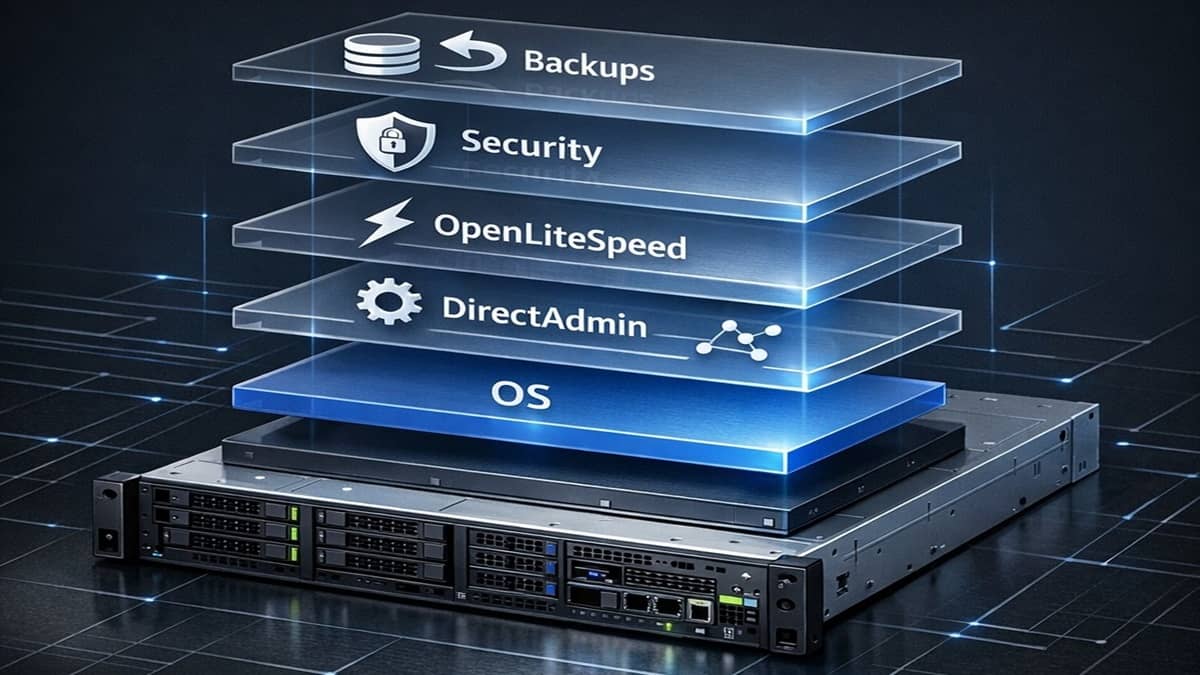
Platform Readiness is the phase where a newly provisioned VPS is transformed into a stable, secure DirectAdmin system that is ready to receive its first domain. This phase focuses entirely on the server and control panel layer, before any domains, DNS, SSL, or email services are added.
The goal is not to rush into domain configuration, but to ensure the underlying platform is predictable, recoverable, and aligned with how DirectAdmin and OpenLiteSpeed are maintained long‑term.
Achieve Platform Readiness
Your goal with DirectAdmin and your VPS, is to have a platform‑ready server that meets a specific set of conditions. These conditions reduce future failures, simplify troubleshooting, and prevent configuration drift as the system evolves.
Platform Readiness Prerequisites
If you’re following the complete setup guide, you’ve typically performed these steps already.
- The operating system is installed and updated on your VPS. A supported Linux distribution, e.g., AlmaLinux, or other, is installed on the VPS.
- Administrative access is secured. You have SSH access to that VPS, initially through a terminal session.
- Backups exist before major changes.
Platform Readiness Conditions: Achieve these goals
If you’ve met the above platform readiness prerequisites, you’re ready for installing and configuring DirectAdmin. Then, it’s finalized by executing a short web stack that’s in line with that web control panel.
- DirectAdmin is installed and accessible.
- The web stack is installed and aligned with DirectAdmin.
DirectAdmin Phases
It’s best to follow the sequence offered in the Complete Setup Guide. That’s because sometimes, during the full setup, you might be tasked to jump over to another major section, and then return. Also, some checklists are repeated at various appropriate times, as shown. Regardless, the DirectAdmin specific checklists are shown here for this topic’s reference.
- Installing DirectAdmin onto a VPS
- Applying DirectAdmin CustomBuild Updates
- CustomBuild Options for OpenLiteSpeed
- Applying DirectAdmin System Packages Updates
- Applying DirectAdmin Version Updates
- How to create a DirectAdmin admin backup
- How to create a DirectAdmin system backup (server level)
- Checklist to confirm specific DirectAdmin Extra Features will open.
Common Mistakes to Avoid
- Adding domains before backups exist
- Skipping updates & PHP configurations after installing OpenLiteSpeed
- Applying generic PHP advice that does not apply to LiteSpeed